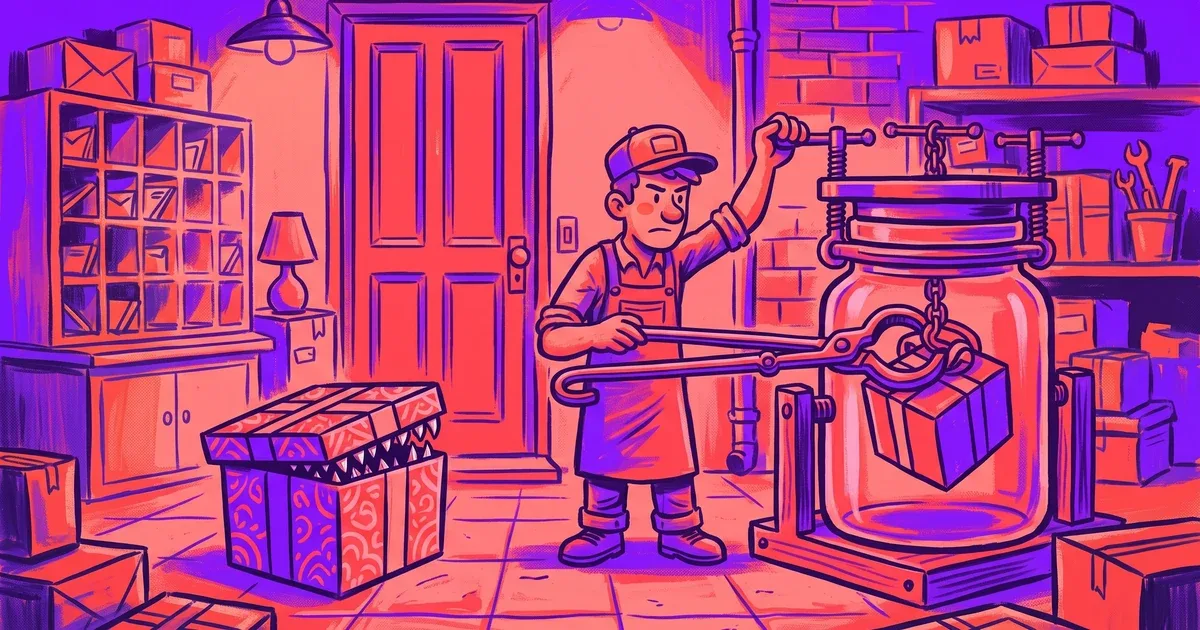
A “lead” on Fiverr asked for a WordPress site with an ERP integration last week. Before any real back-and-forth, he sent a Dropbox link: a zip with the full WordPress folder and a database dump, and a note to just run it locally so I could see the scope.
I want to walk through exactly what happened, because the honest version is more useful than the dramatic one. The file that eventually turned up wasn’t even the biggest risk in that zip. The real lesson is about the request itself, and the habit that makes it a non-event no matter what’s actually inside.
The request that should never go to a host machine
“Run it locally to see the scope” sounds like a completely normal ask for a WordPress migration project. Clients hand over exports all the time, and reviewing one before quoting is standard practice. That’s exactly what makes it a good cover.
A WordPress handoff isn’t a document, it’s a live codebase and a live database. Spinning it up means executing whatever PHP sits in that folder and importing whatever the database dump contains. Nothing in the file tree, wp-content, wp-admin, wp-includes, a config file, needs to look wrong for it to be dangerous. It just needs to run, and running it is the entire point of the request.
That zip never touched my host machine. It went straight into a DDEV container, the same place every WordPress project here starts by default.
What was actually inside
Once the site was up inside the container, it turned out to be a plain shuttle booking landing page with a contact form. Nothing close to an ERP integration, nothing that explained the brief I’d been given. That gap between the scope and the site was the first real signal, and it showed up before I’d gone looking for anything suspicious.
Digging through the files, there was also one named like a mockup image, something like a homepage preview, carrying a .exe extension underneath. It tried to force execution the moment it was opened.
I didn’t reply to the message. I reported the account through Fiverr and blocked it. There was nothing to gain from engaging further, confirming I was a live target was the last thing worth handing over.
The real exposure was the database and the codebase
Worth being honest about this part: a .exe is a Windows binary. My dev environment runs on Linux, so that file had no path to executing regardless of anything else I did. That’s a fact about the file format, not a defense I built on purpose, and it would be a mistake to read this as “the container stopped a virus.”
The database dump and the PHP codebase sitting right next to that file carried the real exposure. A malicious plugin or a planted mu-plugin runs the instant WordPress boots. A database dump can carry stored procedures or triggers that fire on import, no separate execution step required. Both of those would work just as well on Linux as on Windows. The .exe missing its target was luck. The container catching everything else, on any platform, was the actual point.
The container-first policy for every handoff
I already run every WordPress project in a DDEV container by default, that’s been the standing practice here long before this Fiverr order showed up. This incident is why I hold to it harder now: nothing from a client or a lead runs on my host machine, full stop. It runs in DDEV first, every time, including handoffs that sound completely routine.
Pick the sandbox to match the work. DDEV is the default for anything WordPress, WooCommerce, or PHP that I’m actually going to build in, which covers the overwhelming majority of what lands in my inbox. Docker for a quick, generic inspection when I just need to look at something, not build on it. A throwaway VM for anything I don’t trust even inside a container, unfamiliar executables and archives especially, snapshotted clean and destroyed after one use.
Don’t let the sandbox leak. A container that can still reach your credentials has lost most of its value. No shared volumes into SSH keys or a password manager vault. Cut network access where you can, a payload that can’t phone home is limited to whatever damage it already attempted locally.
Treat it as disposable, because it is. If anything looks wrong once you’re inside, the answer is to destroy the container and start the next review from a clean image. Trying to clean up a sandbox that touched something hostile is a false economy.
What to check before you import anything
Look at the file tree before you spin up the site. A plugin folder that doesn’t match anything in the WordPress repository, or a file sitting outside the normal wp-content structure, is worth a second look before the database ever gets imported.
Check any suspicious file’s real signature, not its extension. A double extension, or a file that reports as a Windows executable when it’s supposed to be an image, is an instant stop.
Weigh the scope against what actually showed up. A request for an ERP integration that arrives as a landing page with a contact form isn’t a rounding error, it’s a mismatch worth treating as a signal on its own, before you’ve imported a single table.
And when someone says “just run it locally,” hear that as an instruction, not a formality. It’s asking you to execute their code and their data. Do exactly that, just not on anything that matters.
What a container does and doesn’t buy you
A container stops opportunistic malware from touching your real machine and stops accidental execution during a routine review. It isn’t immune to a determined attacker, and it’s worth being honest about where that boundary sits. Keep the container runtime patched, since escape exploits target the engine as much as the workload inside it. Don’t run as root inside the sandbox. Never mount the Docker socket into an environment meant to hold untrusted code, that effectively hands root on the host to whatever’s running inside.
None of that makes the practice pointless. It makes it one correctly scoped layer, paired with a habit of treating “just run it” as the security-relevant instruction it actually is.
The takeaway
This particular .exe failed because of a platform mismatch that had nothing to do with any decision I made. The scope-versus-delivery gap, the instruction to run a stranger’s codebase and database, the habit of never doing that on a real machine, those are the parts that would have caught the actual risk either way, and the parts that’ll catch whatever’s built correctly for my setup next time.
If you take in site handoffs as part of how you find work, Fiverr, Upwork, cold email, doesn’t matter which, build the container-first habit before you need it. It costs a few minutes on every project. The alternative costs a lot more on the one project where it actually matters.
If you’re a business owner weighing whether a freelancer takes security seriously before it becomes your problem too: this is what that looks like in practice, not a policy on a page but a default nobody has to remind me of. If that’s the kind of habit you want on your project, get in touch.